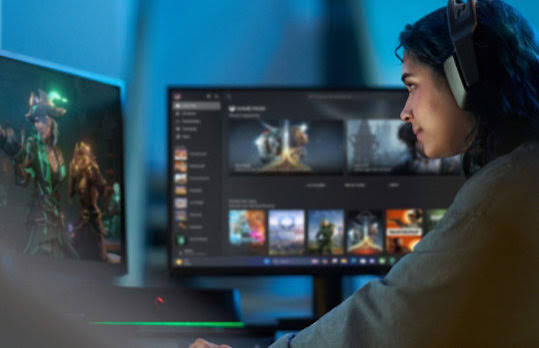

Imagine playing a big-budget slot gacor on a cheap laptop, an old phone or a smart TV with no console in sight. That’s the promise of cloud gaming, and it’s no longer science fiction. Several major services already let you stream games the same way you stream a show.
But does it actually work well enough to replace a console or gaming PC? The honest answer is: sometimes, for some people, depending heavily on your internet. Let’s look at how it works, where it shines, and where it still trips over its own cables.
How Cloud Gaming Actually Works
With traditional gaming, your console or PC does all the heavy lifting. It runs the game, renders the graphics and sends images to your screen.
Cloud gaming moves that work to powerful computers in a data centre. Here’s the loop:
- You press a button on your controller.
- Your input travels over the internet to the server.
- The server runs the game and renders the next frame.
- That frame is compressed into video and streamed back to your screen.
All of this happens many times per second. When it works, it feels almost like local play. When it doesn’t, you notice immediately.
The Internet You Really Need
Your connection is everything here. Raw download speed matters, but stability matters even more.
Speed
Most services recommend a solid, consistent download speed for HD streaming and considerably more for higher resolutions. Check the specific service’s guidance, since requirements vary.
Latency and Stability
Because every button press makes a round trip to a server, high or jumpy latency causes noticeable input delay. Living close to a service’s data centre helps a lot.
Wired Beats Wireless
An ethernet cable gives the most reliable results. If you must use WiFi, use a modern router, the 5GHz band, and sit reasonably close to it.
I tried streaming a game over a crowded apartment WiFi once. Every few minutes the picture turned into blurry soup, then sharpened again. Plugging in a cable fixed nearly all of it.
Where Cloud Gaming Shines
When conditions are right, the benefits are genuinely appealing:
- Low upfront cost. No need for an expensive console or graphics card.
- Play anywhere. Pick up a game on your TV and continue on a laptop or phone.
- No downloads or updates. Games launch quickly without waiting for huge patches.
- Try before you commit. Subscription libraries let you sample many games without buying each one.
- Saves storage space. Your device doesn’t need room for massive game files.
For casual players, story-focused gamers and people with older hardware, streaming can open doors to games they’d otherwise never touch.
Where It Still Falls Short
The technology has improved a lot, but some limits remain:
Competitive Play
Even small added delay matters in fast shooters and fighting games. Serious competitive players usually prefer local hardware for that reason.
Image Quality
Streams are compressed video. Fast motion, dark scenes and fine details can look softer or blockier than local play, especially on weaker connections.
Data Usage
Streaming games eats a lot of data. If your plan has a cap, cloud gaming can burn through it quickly.
Ownership and Availability
Your access depends on the service’s library and continued existence. Games can leave subscription catalogues, and services occasionally shut down.
Controllers and Device Support
Not every device plays nicely with every service. Some smart TVs only support certain apps, some phones need a clip-on controller for comfortable play, and browser-based streaming can behave differently from dedicated apps. Before paying for a subscription, check that your exact device and controller are supported. A quick compatibility check saves a lot of frustration on the first evening.
Who Should Make the Switch
Here’s a practical way to decide whether streaming fits you:
- Good fit: casual or story players, people with fast stable internet, travellers, those wanting to try lots of games cheaply.
- Maybe: players with decent but inconsistent connections. Test with a free trial first.
- Poor fit: competitive esports players, those on capped or slow internet, and anyone who wants to own their slot depo 5k long term.
Many players end up using both. Local hardware for competitive titles, cloud streaming for trying new releases or gaming away from home. That hybrid approach often makes the most sense right now.
FAQ
Does cloud gaming need fast internet?
Yes. A fast, stable connection with low latency is essential. A wired connection close to a service’s servers gives the best experience.
Is cloud gaming good for competitive games?
It can work for casual competitive play, but added input delay makes it less ideal for high-level shooters and fighting games.
Do I need a console for cloud gaming?
No. Most services run on PCs, laptops, phones, tablets and some smart TVs, usually with a compatible controller.
Cloud gaming isn’t ready to make every console obsolete, but it’s a genuine option for the right player with the right connection. Run a trial during your usual gaming hours, play the kind of games you love, and let your own experience decide.