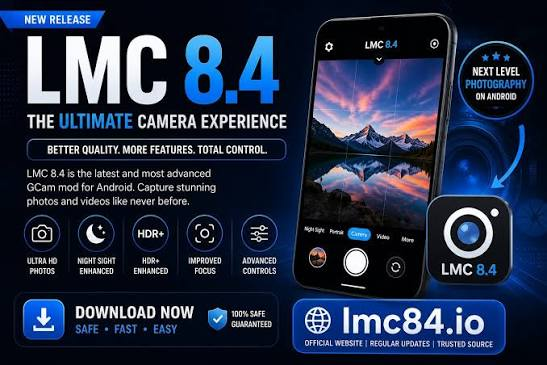

Android smartphones have become powerful photography tools, but the default camera app does not always provide the level of control that every user wants. Photography enthusiasts often look for alternative camera applications with additional modes, better customization, and flexible image-processing options. The **[LMC 84 APK File](https://www.lmc84apkfile.com/)** is one such option for users who want to explore the features of LMC 8.4 on compatible Android devices.
LMC 8.4 is a popular GCam port that focuses on computational photography and customization. Depending on the smartphone, it can provide useful tools for everyday photos, portraits, low-light scenes, and night photography.
## What Is LMC 8.4?
LMC 8.4 is a modified Google Camera port made for Android smartphones. It is not the standard camera application supplied by phone manufacturers. Instead, it offers an alternative way to capture and process photographs.
The main attraction of LMC 8.4 is the range of settings available to users. Along with common camera functions, compatible devices may support advanced options such as HDR+, Night Sight, Portrait Mode, astrophotography, and RAW capture.
The exact experience depends on the smartphone. Different devices use different camera sensors, processors, Android versions, and software, so some features may require additional configuration.
## Why Is LMC 8.4 Popular?
Many users are interested in LMC 8.4 because it provides more flexibility than a basic camera application. Instead of using only automatic processing, users can experiment with different settings and configurations.
This can be useful for people who want a particular color style, improved low-light photographs, or more control over image processing.
Another reason for its popularity is XML configuration support. These files can help users apply settings created for specific smartphones, making it easier to optimize the camera without adjusting every option manually.
## Key Features of LMC 8.4
LMC 8.4 includes several features that can make mobile photography more versatile.
### HDR+ for Detailed Photos
HDR+ is designed to improve the dynamic range of photographs. It combines multiple frames to balance brighter and darker areas in a scene.
This can be useful when photographing landscapes, buildings, outdoor subjects, or scenes with strong differences between light and shadow.
### Night Sight for Dark Environments
Night Sight is designed to improve photographs taken in low-light conditions. The camera can capture multiple frames and process them to produce a brighter image.
The quality of the result depends on the phone’s sensor and configuration, but compatible devices can benefit from this feature when shooting at night or indoors.
### Portrait Photography
Portrait Mode is designed to create separation between the subject and background. It can produce a soft background blur that gives portraits a more professional appearance.
For better results, use sufficient light and keep the subject at a suitable distance from the background.
### Astrophotography
Some supported devices can use astrophotography features to capture stars and night landscapes. This mode generally requires longer exposures, making stability extremely important.
A tripod or stable surface can help prevent movement and improve the final image.
### RAW Image Capture
RAW photography can benefit users who like editing their images after taking them. It provides additional information that can be useful when adjusting exposure, highlights, shadows, and colors.
However, RAW functionality depends on the capabilities of the particular smartphone.
## LMC 84 APK File Compatibility
The **[LMC 84 APK File](https://www.lmc84apkfile.com/)** can have different compatibility requirements depending on the phone and APK version.
Before installation, users should consider:
* Android version
* Smartphone chipset
* Camera2 API support
* Camera sensor capabilities
* Device firmware
* Number of supported camera lenses
* RAM and processing power
Some devices may run LMC 8.4 without major problems, while others may need a specific version or configuration. Certain lenses or advanced functions may also be unavailable.
If the application crashes or does not work correctly, users should check whether the selected version is suitable for their device.
## XML Configurations and Custom Settings
XML configurations are useful for users who want to optimize LMC 8.4. These files contain predefined camera settings that can be applied to the application.
A configuration may adjust color tones, exposure, sharpness, contrast, noise reduction, and other processing parameters.
Because every smartphone camera behaves differently, users should preferably choose an XML file created for their exact device. Trying several compatible configurations can help identify the one that provides the best results.
It is also useful to save a backup of a working configuration before experimenting with new settings.
## How to Install LMC 8.4
Installing an APK requires only a few basic steps.
First, download a version that is compatible with your Android smartphone from a source you trust. Once the download is complete, open the APK using your phone’s file manager.
Android may display a warning when an application is installed from outside an official app store. Check the source carefully before allowing the installation.
Continue with the installation and open LMC 8.4 after it has been installed. Grant the camera permissions required for the application to function properly.
The installation interface can vary slightly depending on your Android version and phone manufacturer.
## Tips for Better Results
Getting good photographs with LMC 8.4 depends on both the application and the way it is configured.
Start with the default settings and test the camera in different lighting conditions. Use HDR+ for scenes with strong contrast and Night Sight when photographing in darker environments.
For portraits, pay attention to lighting and background distance. When using astrophotography, place the phone on a stable surface and avoid touching it during the exposure.
If the colors or exposure do not look right, try a different XML configuration rather than changing multiple settings at the same time.
## LMC 8.4 vs Stock Camera
The stock camera application is normally optimized for the specific smartphone. It offers a simple interface and is generally ready to use immediately after setting up the phone.
LMC 8.4 focuses more on customization and experimentation. It may provide additional controls and processing options that appeal to photography enthusiasts.
Users who want a quick and simple camera experience may prefer the stock application. Those who enjoy testing different settings and configurations may find LMC 8.4 more interesting.
The better option ultimately depends on the device and the user’s photography requirements.
## Is LMC 8.4 Safe?
LMC 8.4 is a third-party camera application, so users should be cautious when downloading APK files. The source of an APK is important, and unfamiliar files should not be installed without verification.
Avoid suspicious websites and applications that request permissions unrelated to camera functionality. Check that the version is appropriate for your Android device before installation.
Keeping Android security features active can also help protect the device when installing third-party applications.
## Conclusion
LMC 8.4 is an interesting alternative for Android users who want additional camera controls and customization. Its support for features such as HDR+, Night Sight, Portrait Mode, astrophotography, RAW capture, and XML configurations makes it suitable for users who enjoy experimenting with mobile photography.
Compatibility remains an important consideration because Android devices differ in hardware and software. Choosing the right version and a suitable configuration can help users achieve better performance.
For photography enthusiasts looking for more flexibility than a standard camera app provides, LMC 8.4 can be a useful option to explore.